
 English
  Slovenian
 E-Construction
It is specifically designed for construction companies looking to simplify planning, communication, and fieldwork tracking.
- Process Management
- Key Information for Employees on Their Phones
- Field Team Planning
E-Construction
It is specifically designed for construction companies looking to simplify planning, communication, and fieldwork tracking.
- Process Management
- Key Information for Employees on Their Phones
- Field Team Planning
Easier Team Planning
Simple assignment of workers by projects and locations.
Project Overview
A digital file for each project, including documents and photo material.
Organized Absences
Digital submission and approval of leave, sick leave, etc.
Single Source of Documentation
Payslips, contracts, and policies all in one place.
Basis for Payroll
Daily work records lead to accurate payroll calculation.
E-Construction modules
Modules that provide complete control over projects, employees, and fieldwork logistics.
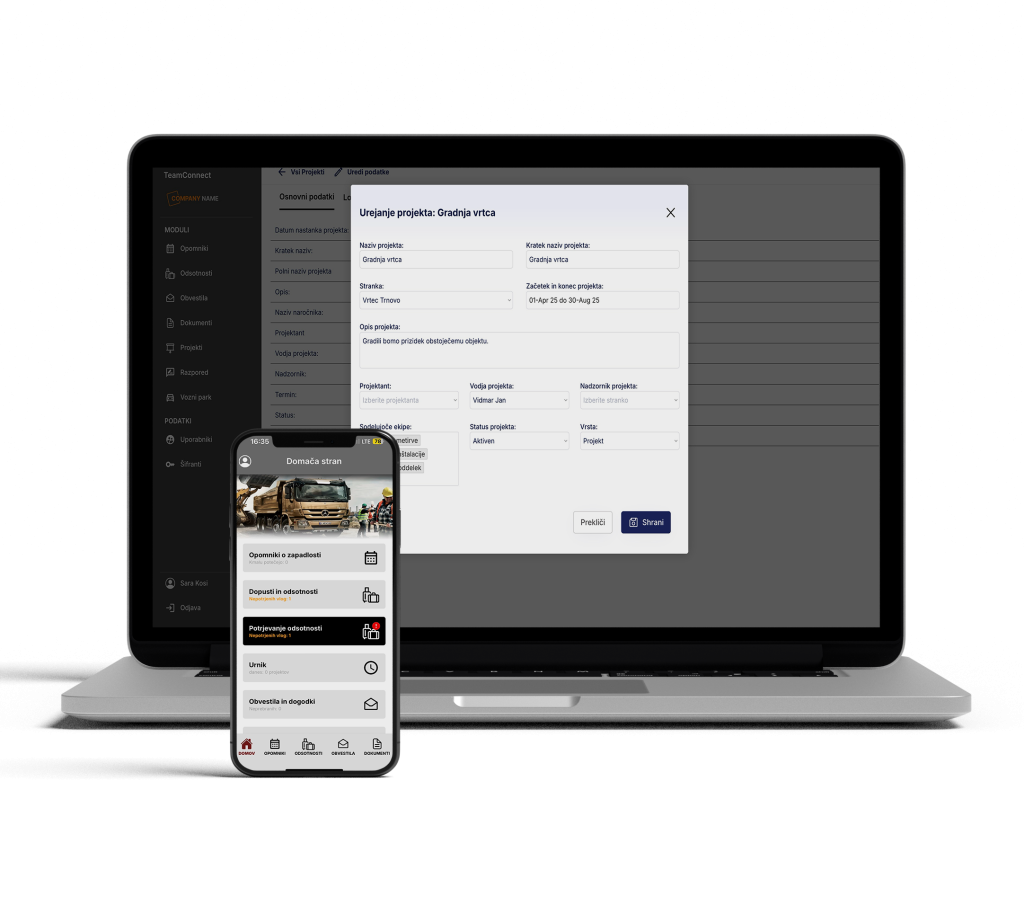
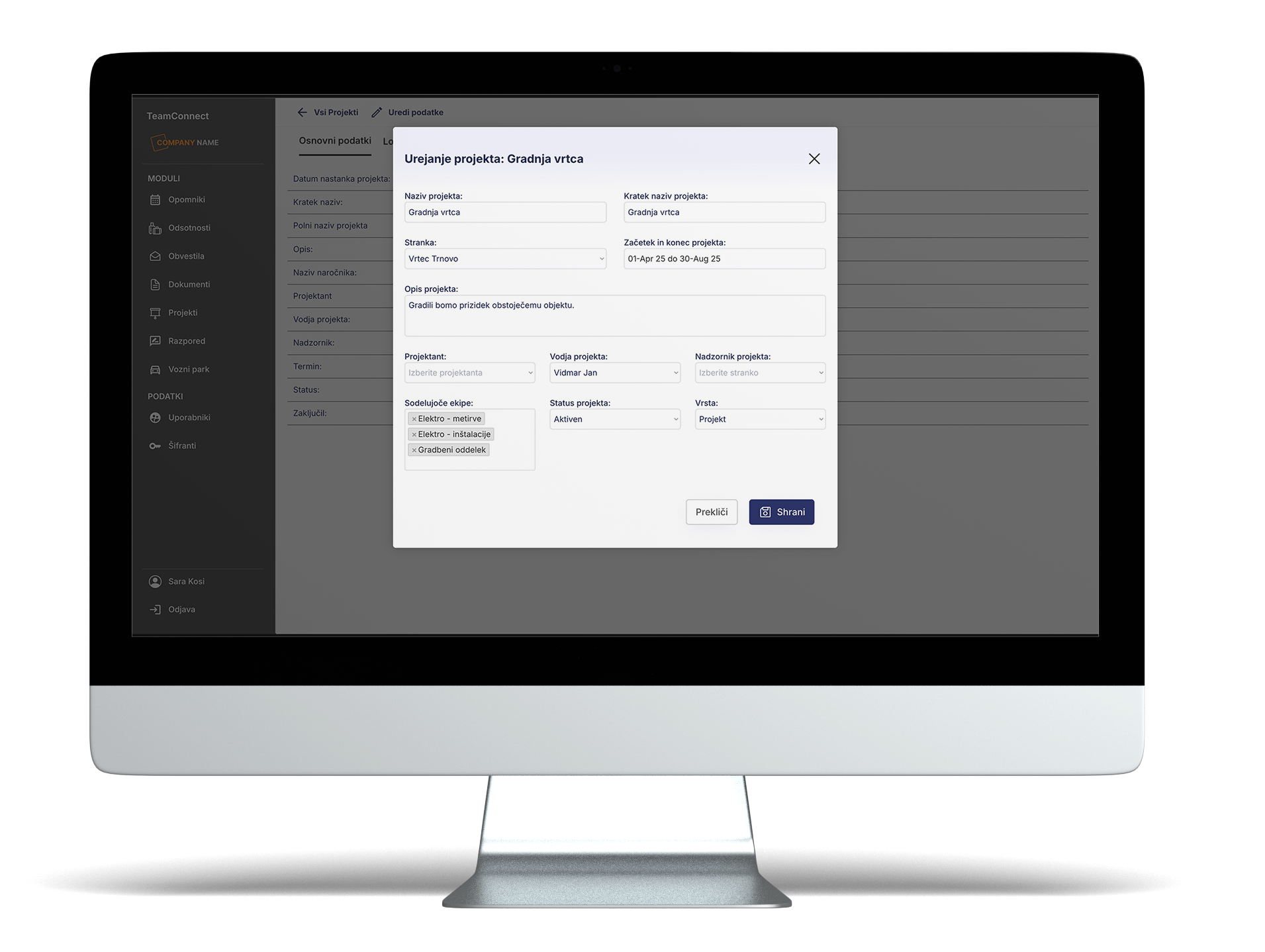
Module: Project Overview
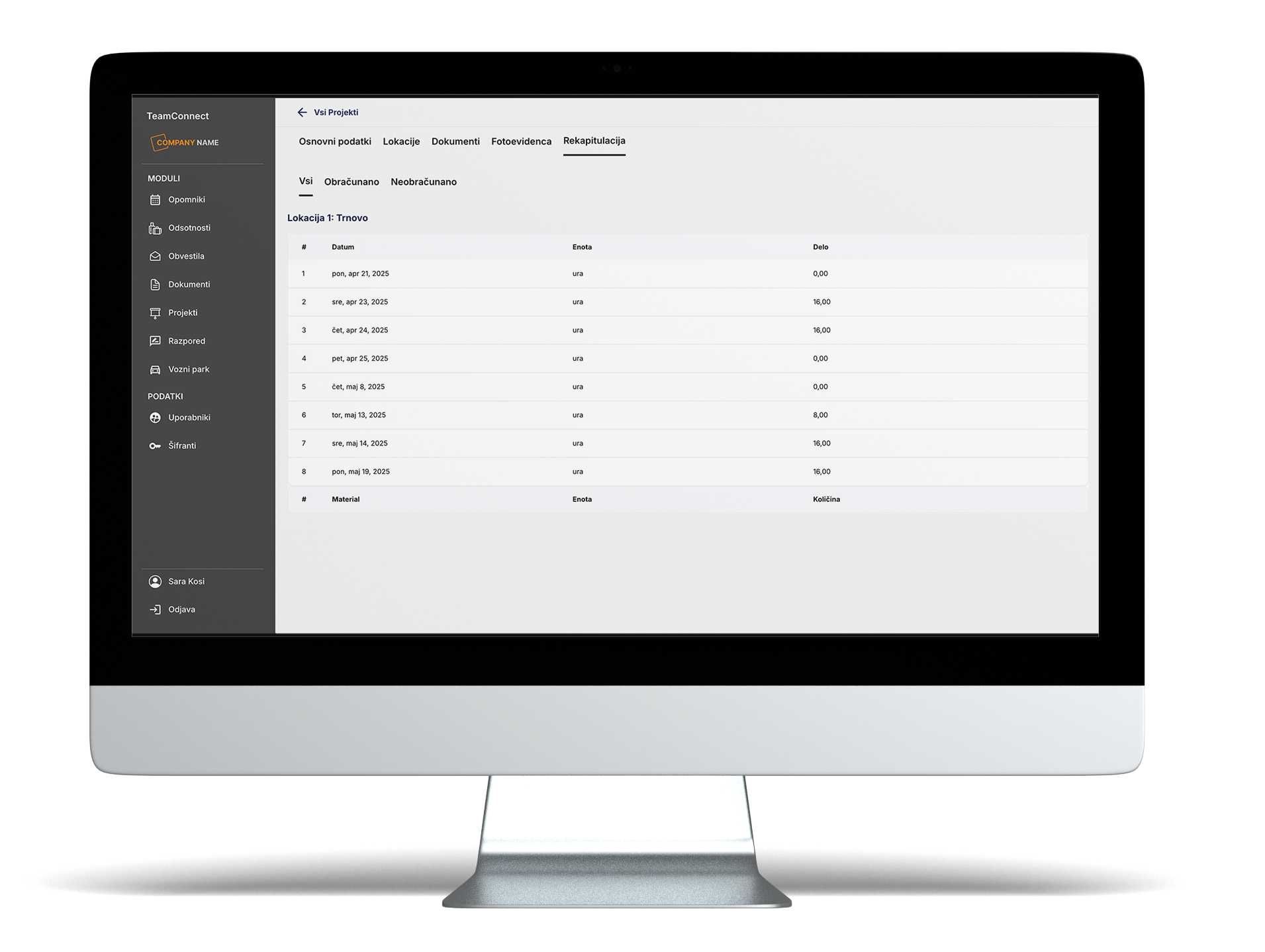
The Project Overview module provides project managers with centralized control over all ongoing projects and enables the collection of data as a comprehensive dossier for each project.
- Basic Project Information
- Project Documents
- Photo Documentation
- Recap, which serves as the basis for invoicing.
- Additional Project Comments
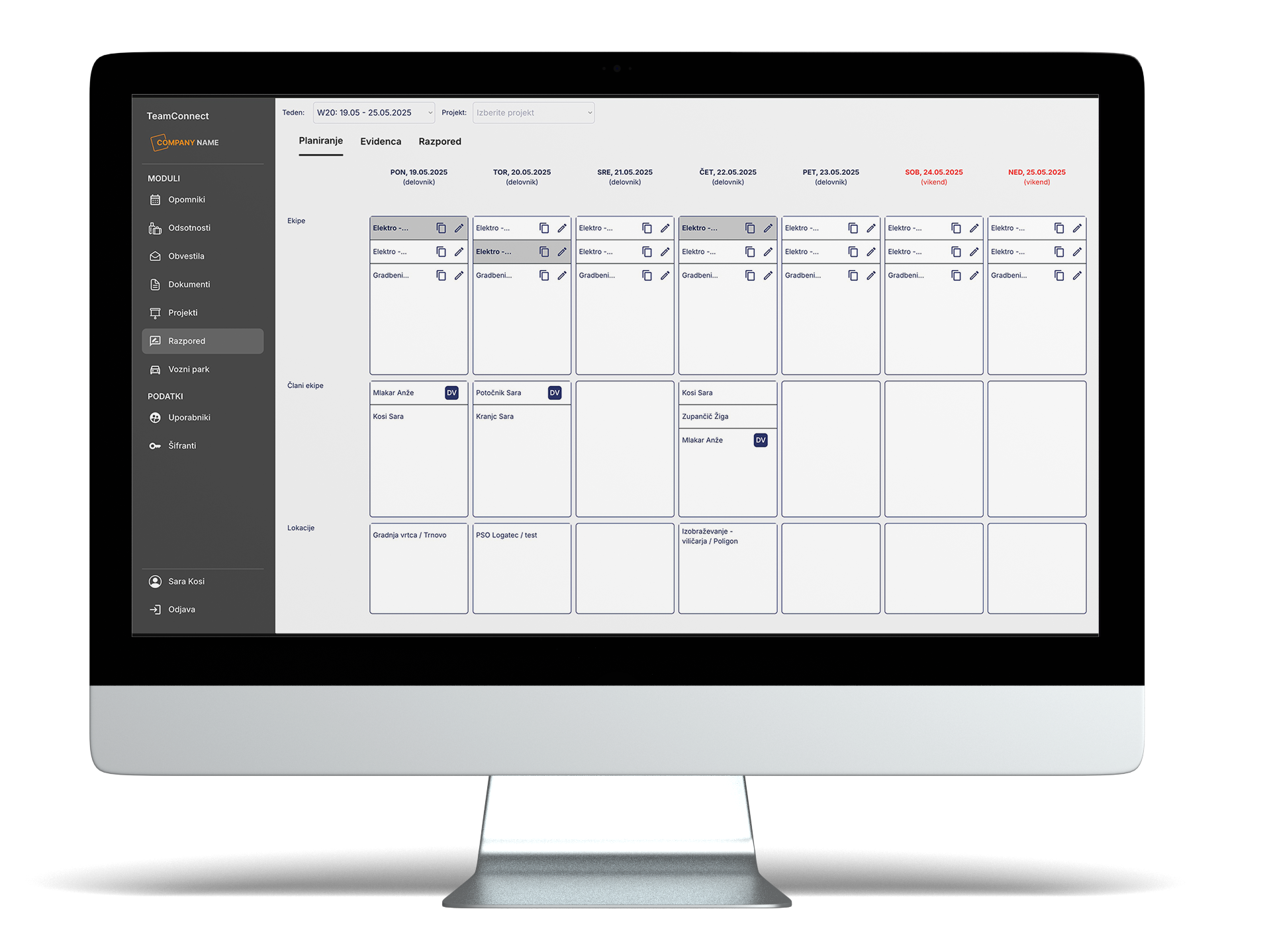
Module: Team Planning
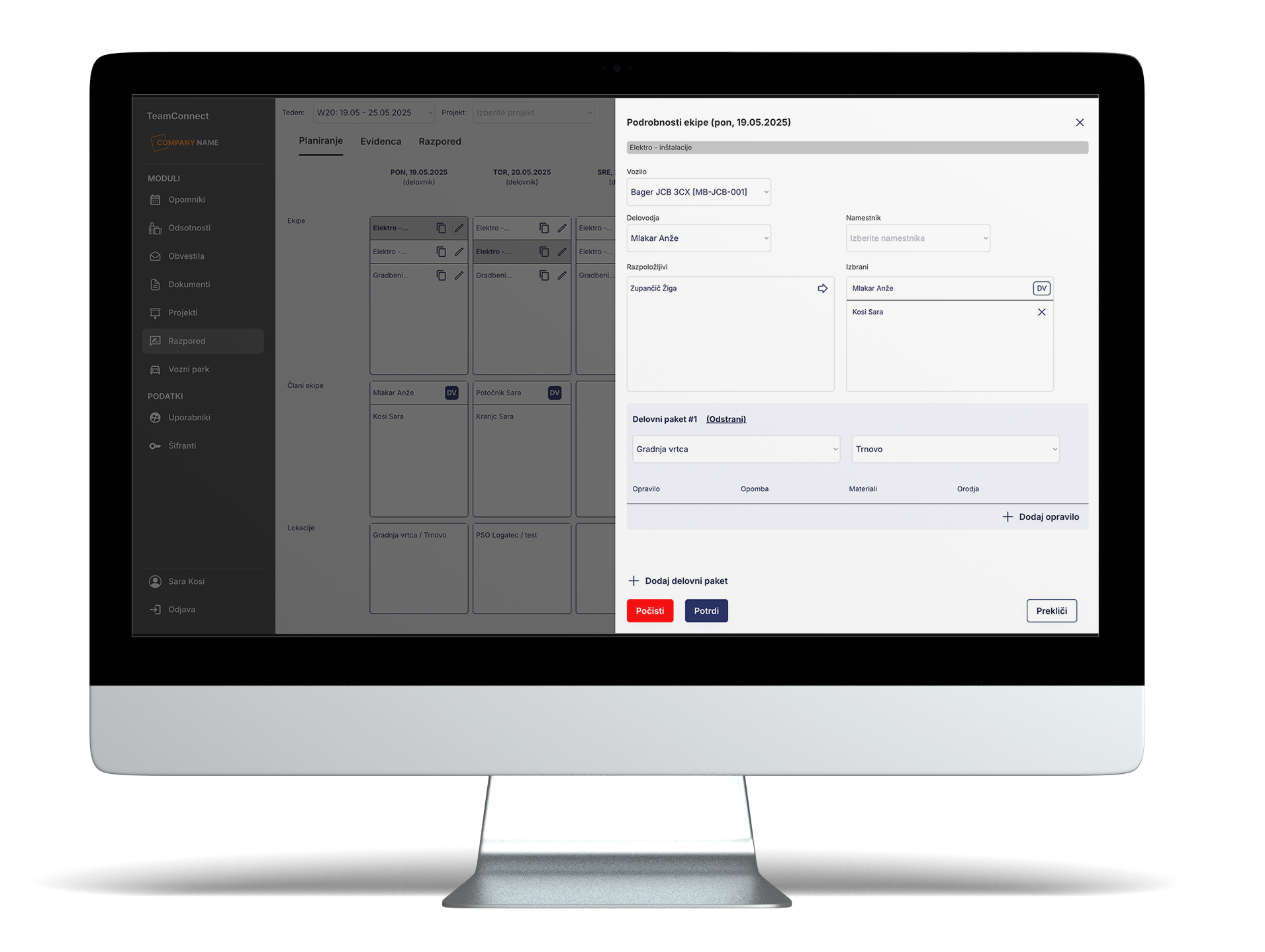
The Team Planning module enables weekly scheduling of workers by projects and locations.
Based on the plan, workers see their Work Schedule in the mobile app, including planned activities, equipment, and materials.
- Planning by days, projects, locations, and teams
- Displaying the schedule to workers on their phones
- Consideration of absences and already scheduled tasks
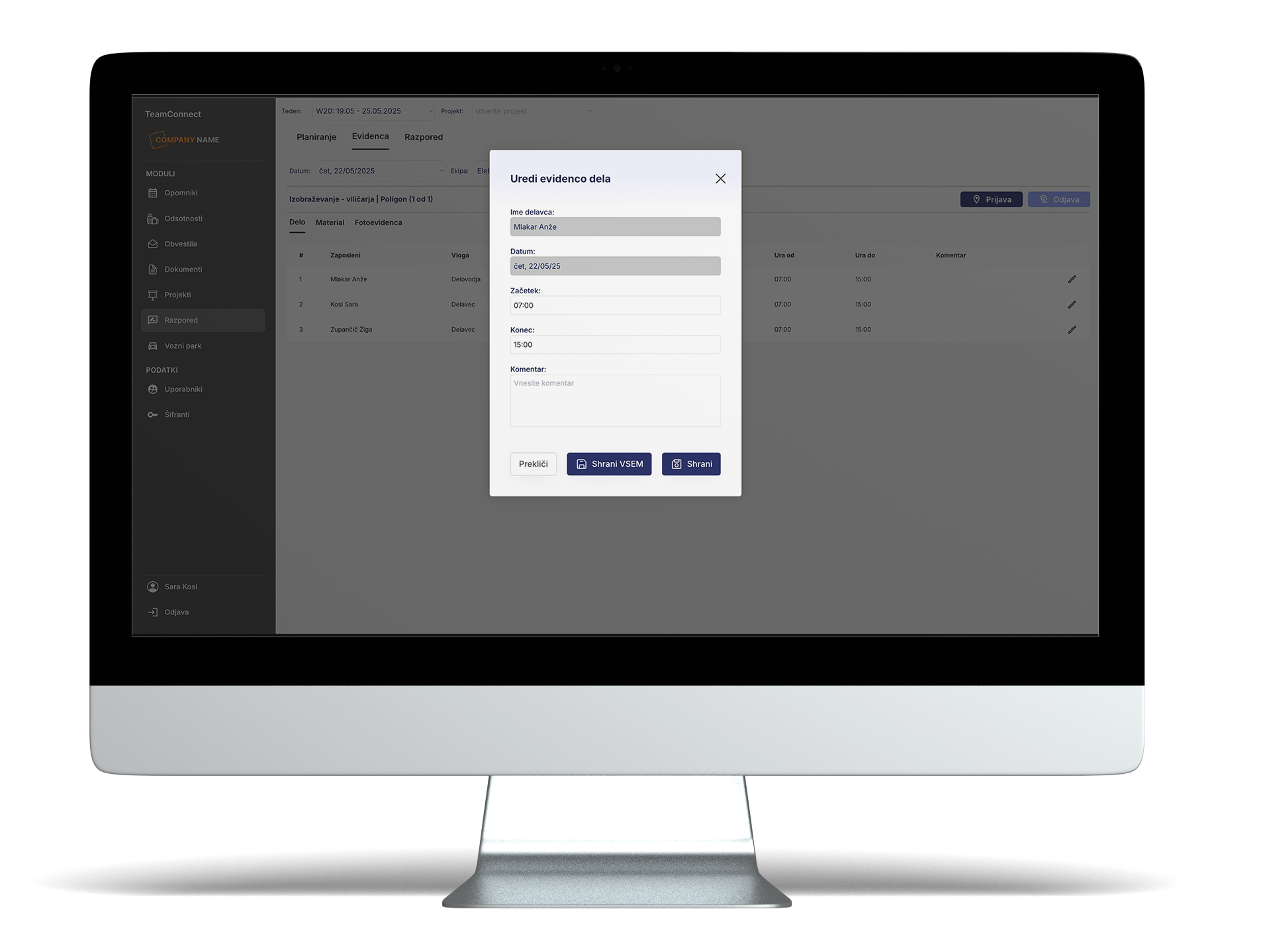
Module: Records
The Records module is designed for foremen to inventory teams and manage the daily work schedule, which at the end of the month serves as the basis for payroll calculation.
- Recording attendance and absences for individual workers
- Recording sick leaves and other special cases
- Basis for payroll processing and report preparation
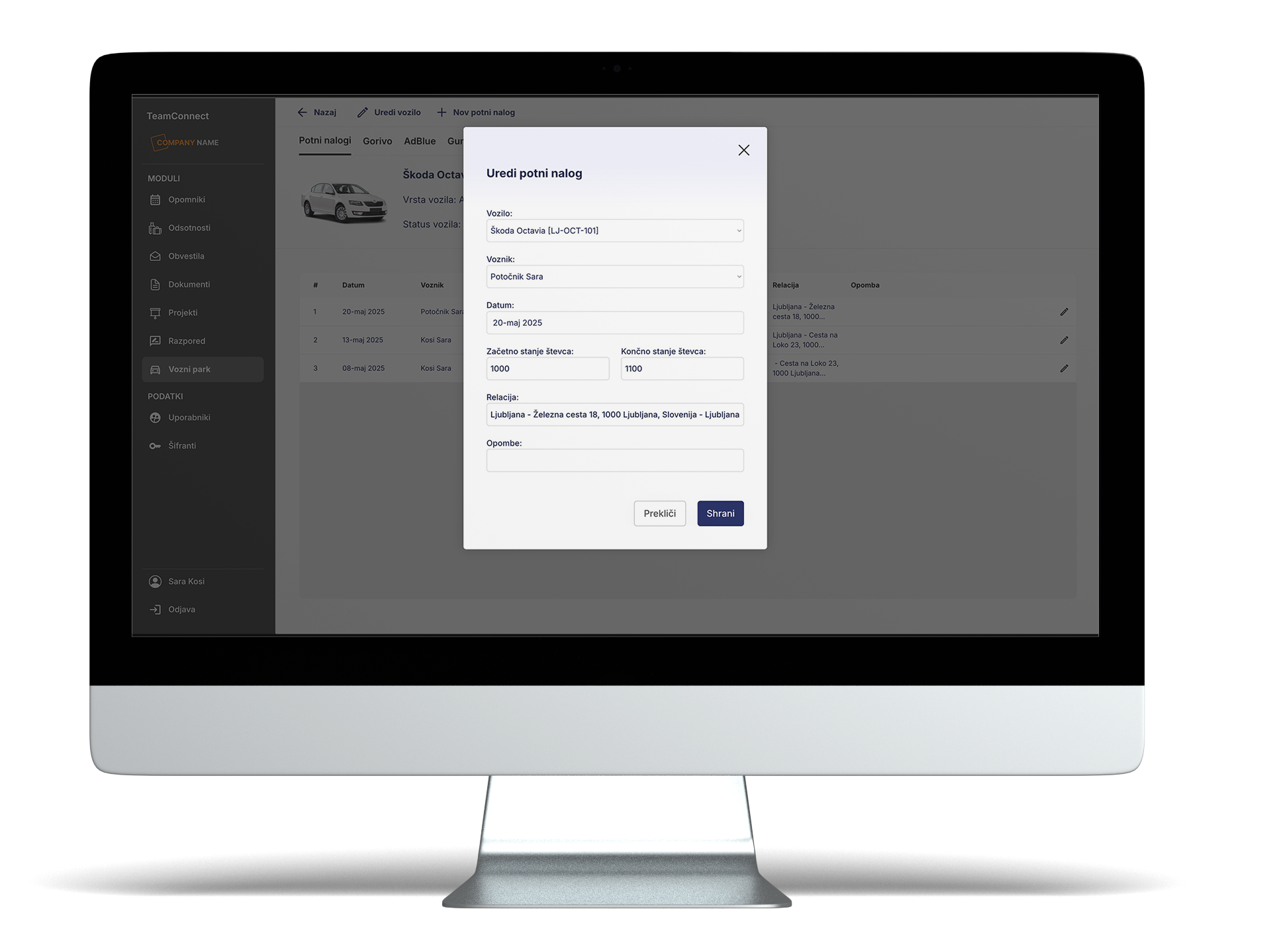
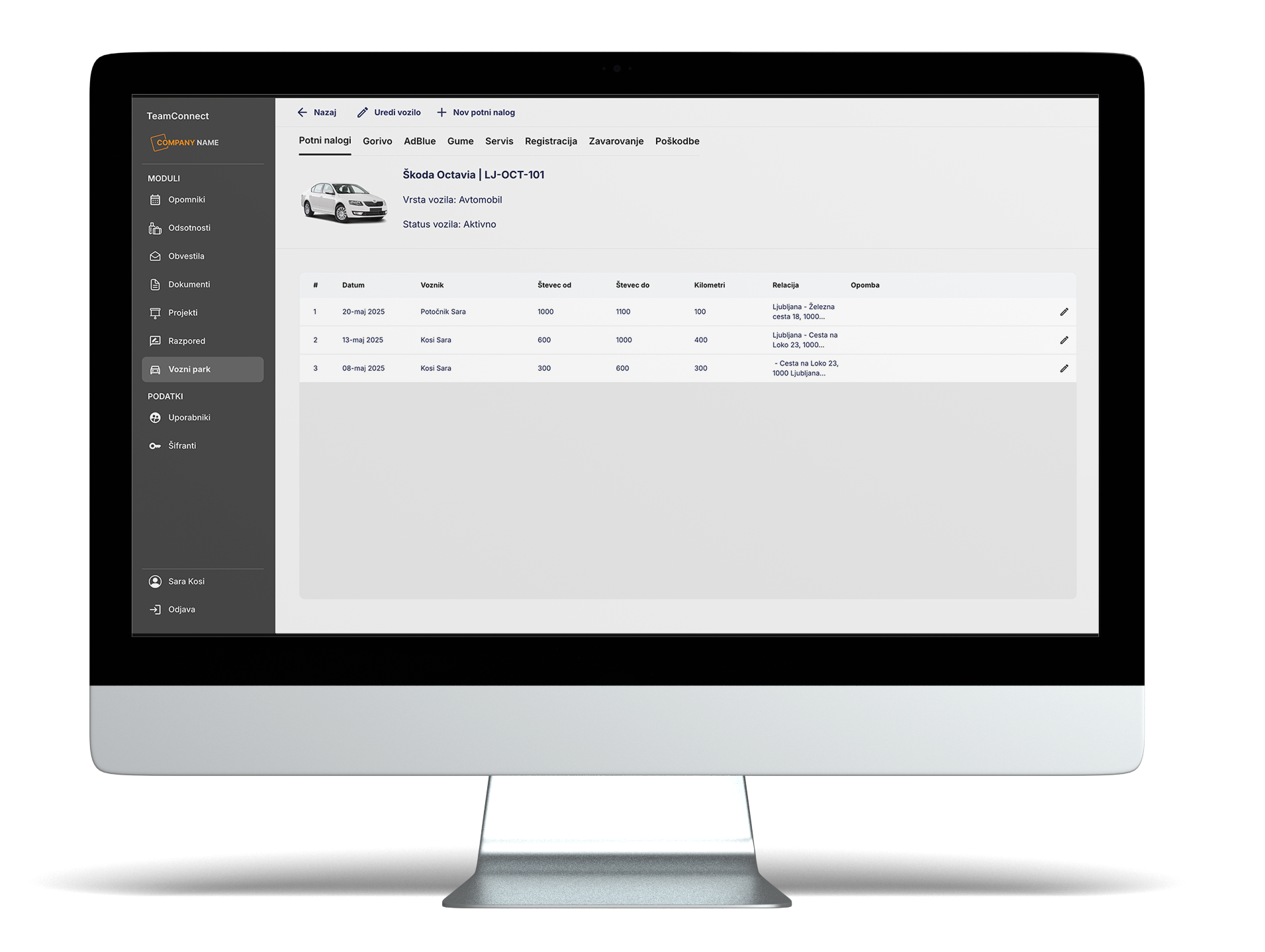
Module: Travel Orders
Modul Module: Travel Orders Enables easy and digital management of all business trips. Users can quickly complete, review, and approve travel orders, while managers maintain control over transportation costs and vehicle usage.
- Automatic generation of travel orders when planning teams and vehicles.
- Recording the route, number of kilometers, and purpose of the trip.
- Overview of travel order history for each vehicle.
Module: Documents
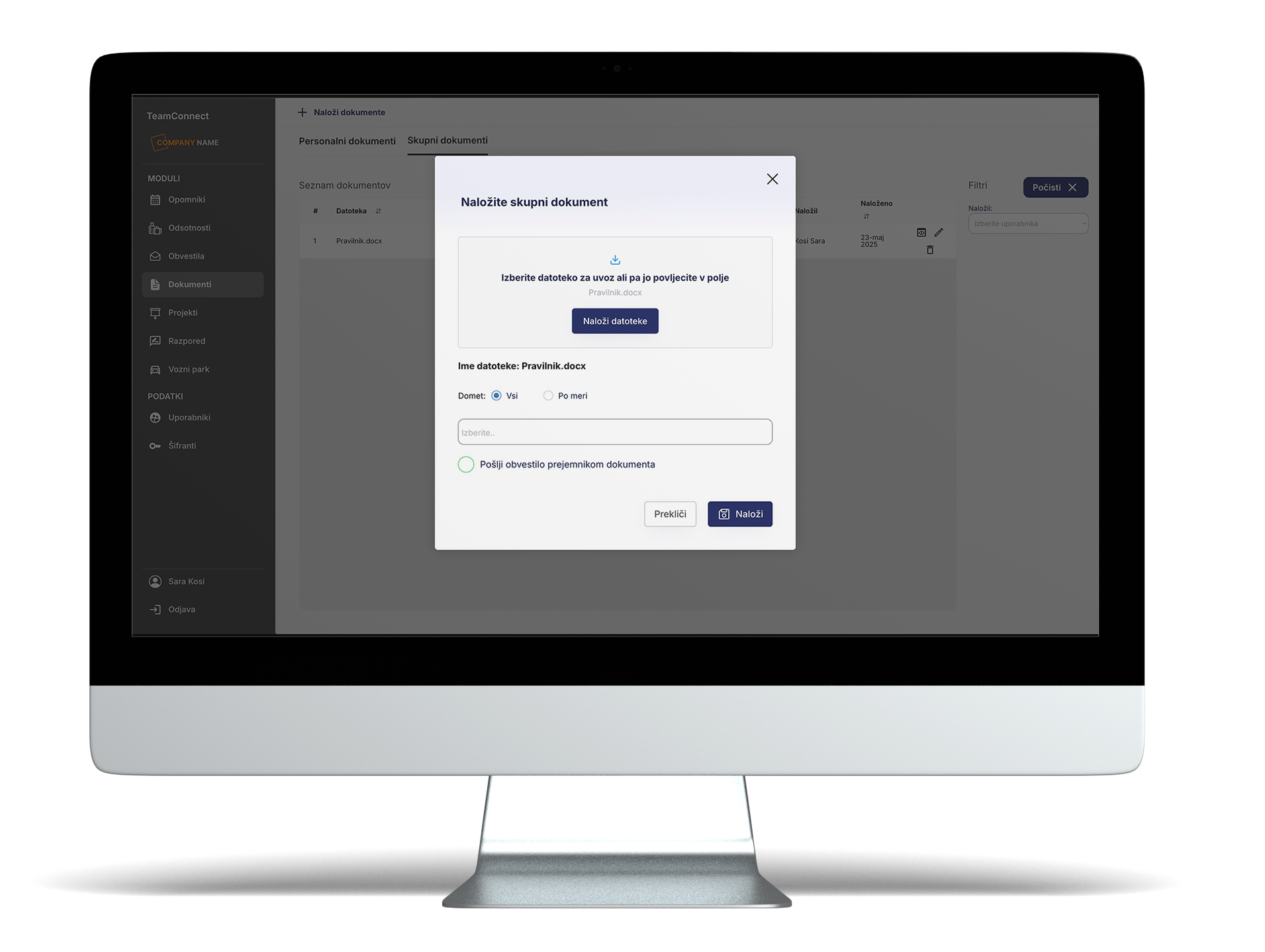
The Documents module is designed for sharing key company documents with employees.
- General
- Work Instructions
- HR Policies
- Internal Instructions
- Personal:
- Pay Statements
- Employment Contract
- Bonuses and Rewards
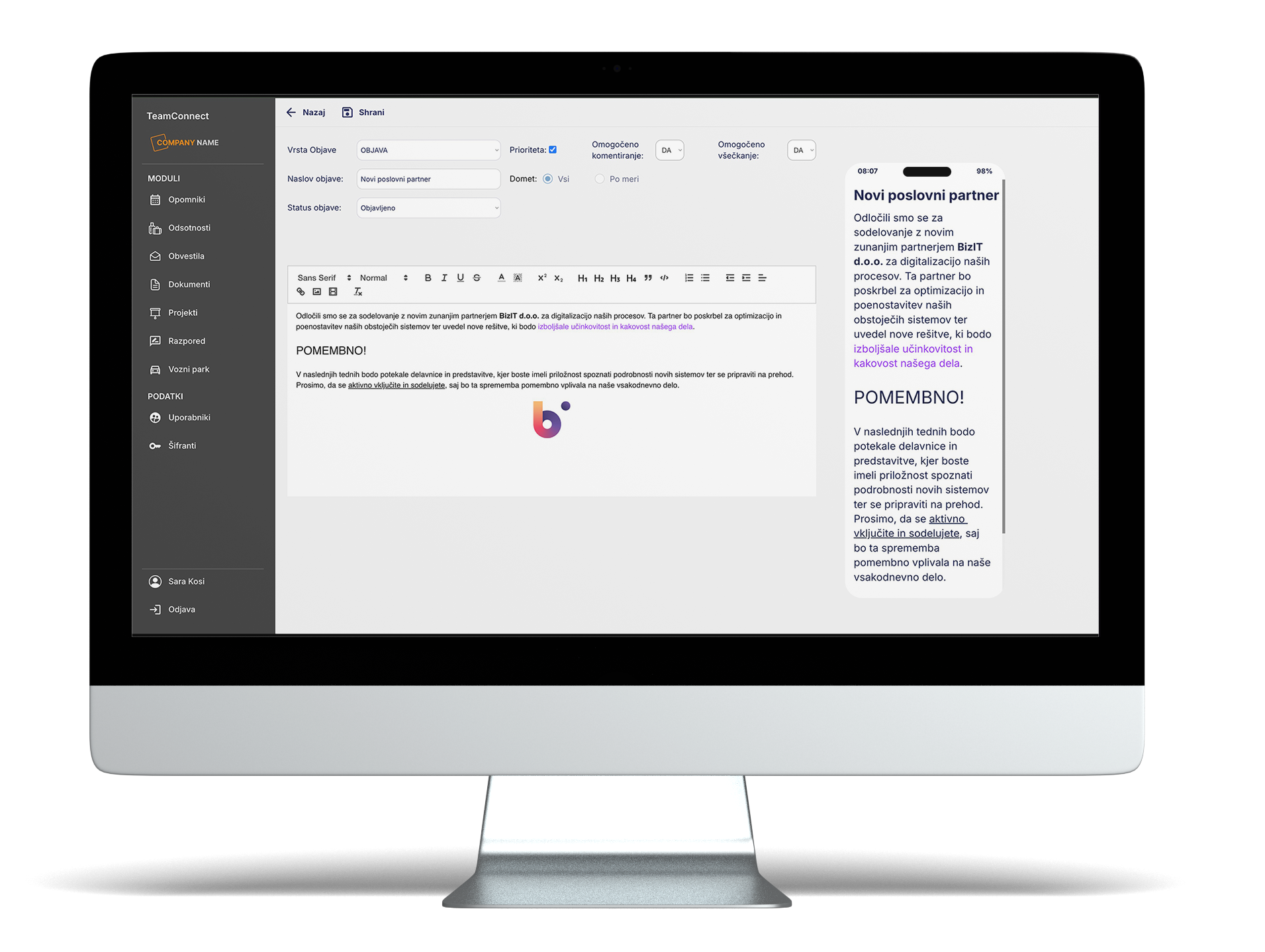
Module: Notifications
Every company needs to quickly share important information simultaneously with all employees, ensuring it’s relevant to everyone.
- Publishing notifications to all employees at once
- Tracking who has read the notification
- Increased awareness and transparency within the company
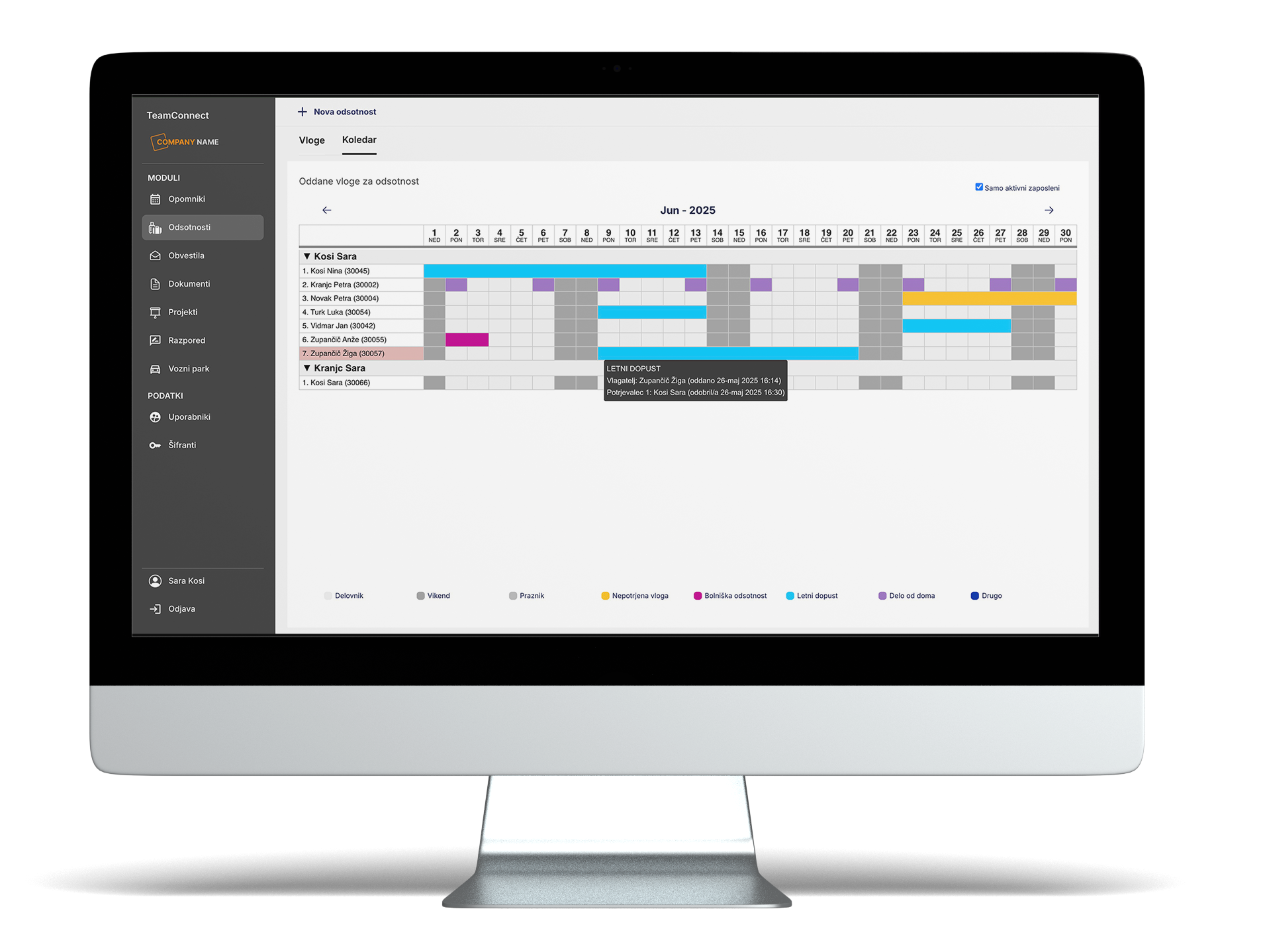
Module: Absences
The module manages the entire absence approval process. The company can choose single- or multi-level approval. By default, the app sets two approvers: the direct supervisor and then the director.
Based on the Absences module, the shared calendar (Calendar Module) is automatically updated, providing a centralized view of the entire team’s presence and absences by day for a given month.
- Submitting leave and other absence requests via mobile phone
- Two-step approval by supervisors
- Team absence calendar and leave balance overview
Module: Fleet Management
The module is designed for comprehensive overview and digital management of all company-owned vehicles and machinery — from personal and freight vehicles to construction equipment such as excavators, rollers, and more.
The Fleet module is connected to the Planning module, where vehicles or machinery are assigned to teams for specific projects or locations during weekly work scheduling, automatically generating a travel order for the assigned vehicle.
Monitoring and managing maintenance activities, such as:
- Record of fuel and AdBlue refills
- Recording tire changes, servicing, registrations, and insurance.
- Damage and Incident Reporting
User Roles
Director
Review and approval of all records and absences, access to all reports.
Office
Quick scheduling of work teams, leave management, and access to work instructions via the mobile app. Entry and management of records, documents, and employee communications.
Project Manager
Plans teams, approves leave requests, and monitors task completion.
Supervisor
Records daily attendance, material usage, hours worked, and documentation.
Field Worker
View schedules and documents, submit leave requests, and receive notifications.
TV Screen
Displays daily team occupancy overview
Technical Specification
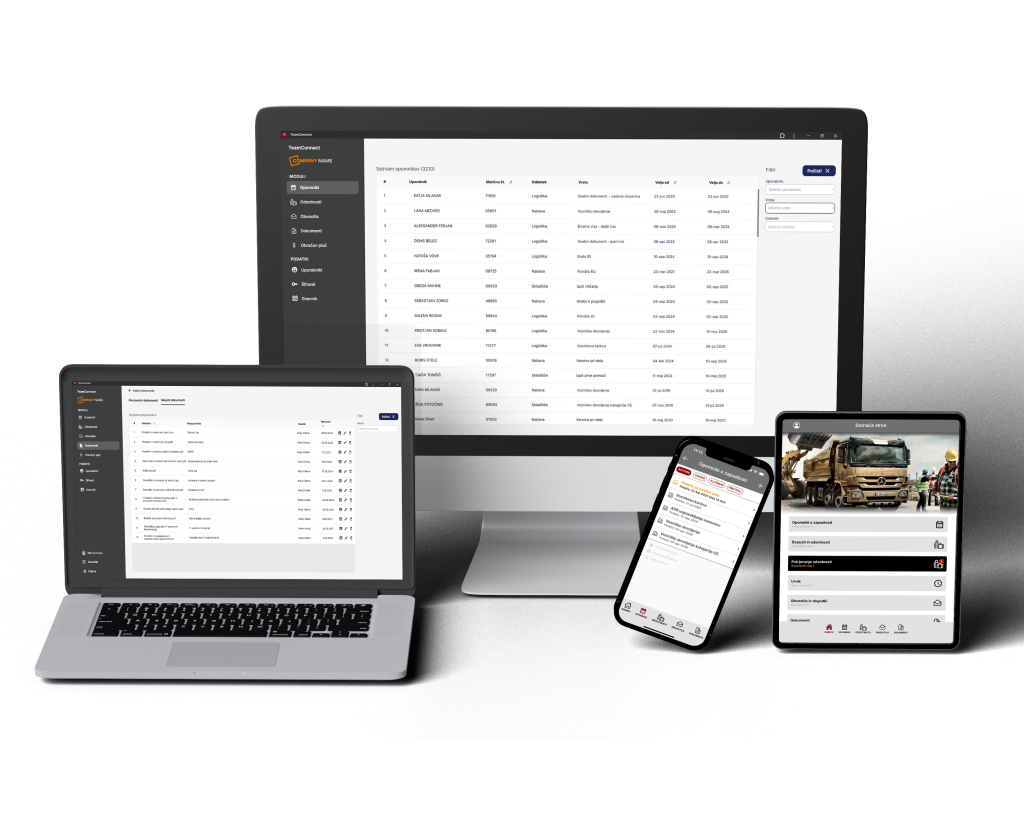
- Desktop view
- Usage method: via web browser on a desktop or laptop computer
- Intended target users: director, office staff, and project managers
- All application functionalities are supported
- Mobile view
- Usage method: via smartphone
- Intended target users: workers
- Supports display of basic project and location data, personal planned work schedule, submission and review of leave and other absence requests, access to personal documents, and viewing published announcements.
- Tablet view
- Usage method: via tablet in the field
- Intended target users: director, office staff, and project managers
- Supports display of basic project and location data, overview of the assigned team’s planned schedule, entry of actual hours worked and materials used by the team, and viewing published announcements.
With the e-construction app, you will be::
EFFICIENT
Simplify project management, improve team communication, and reduce errors by using digital tools tailored for the construction industry.
AUTOMATED
Digitize routine tasks such as absence approvals, notifications, and document distribution to increase productivity and reduce administrative burden.
INFORMED
Ensure all team members stay up to date with the latest information through announcements, reminders, and push notifications, enabling better project planning and execution.
PROFESSIONAL
Establish a professional digital presence with organized records and transparency, building trust both within the team and with investors and supervisors.
Free Trial
Fill out the form below to schedule an individual demo.
With the e-construction app, you will be::
EFFICIENT
Simplify project management, improve team communication, and reduce errors by using digital tools tailored for the construction industry.
AUTOMATED
Digitize routine tasks such as absence approvals, notifications, and document distribution to increase productivity and reduce administrative burden.
INFORMED
Ensure all team members stay up to date with the latest information through announcements, reminders, and push notifications, enabling better project planning and execution.
PROFESSIONAL
Establish a professional digital presence with organized records and transparency, building trust both within the team and with investors and supervisors.
Free Trial
Fill out the form below to schedule an individual demo.